⚡ Quick Answer — Featured Snippet
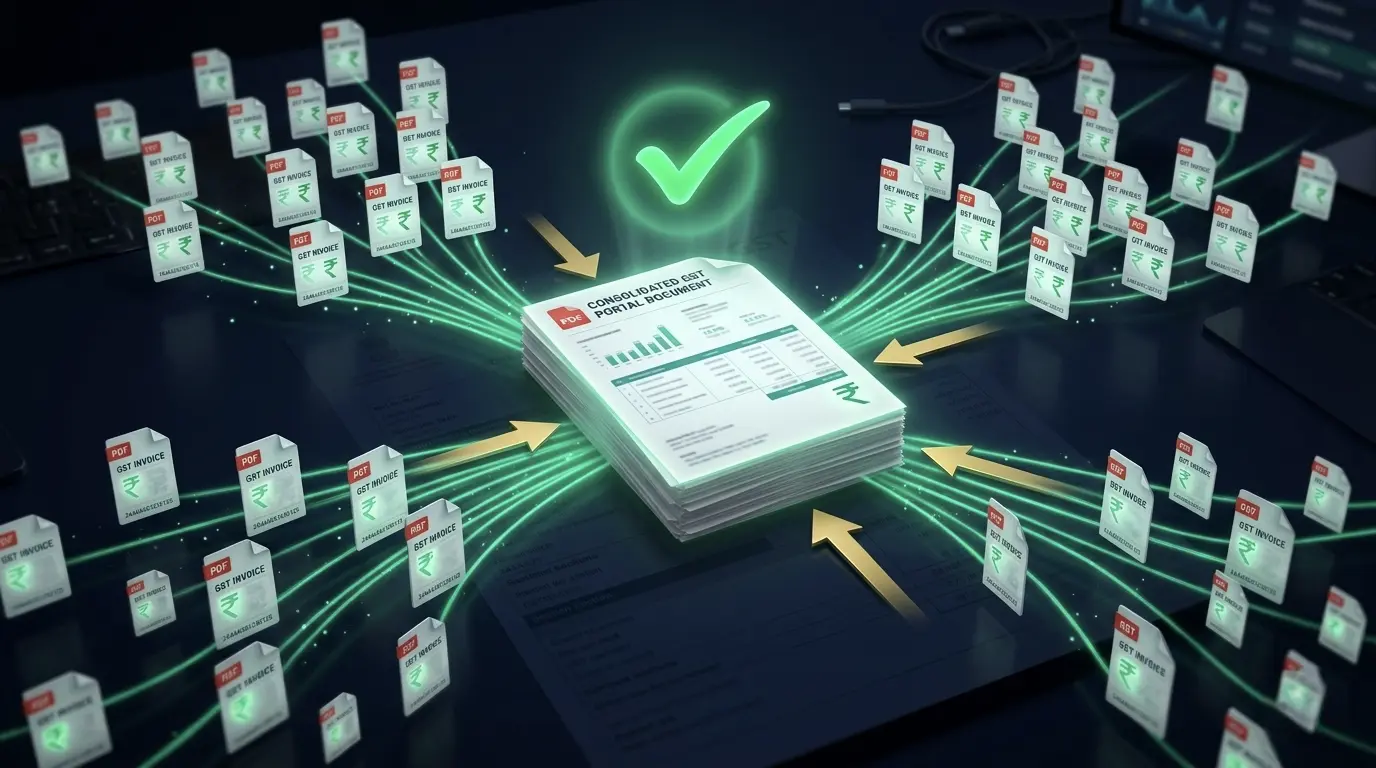
To merge GST invoices into one PDF free, upload your invoice files into a PDF merger tool,
arrange them by invoice date or number, click "Merge," and download the final file.
For best privacy, use a browser-based tool like PDFTEQ that processes files locally
without uploading them to any server.
1. Why Merging GST Invoices Matters
Handling GST invoices every month is messy. You generate dozens — sometimes hundreds — of PDFs.
Then your CA asks for one single file. Your GST portal has a strict size limit.
Your auditor wants everything in order by date. Now you're stuck manually combining documents
one by one in the wrong tool.
That's inefficient. And risky if you're using random unverified tools that upload your invoice data to unknown servers.
🚫 REAL PROBLEMS GST FILERS FACE:
- GST portal upload limits (typically 5–10 MB per submission)
- CA demands a single PDF instead of 50 individual attachments
- Email attachment restrictions from clients and government portals
- Disorganised monthly invoice records that fail during audits
- Risk of missing invoices when files are scattered across folders
If your invoices are not structured and properly merged, your GST filing becomes error-prone,
audit-ready documentation becomes impossible, and your CA relationship suffers.
One merged PDF solves all five problems simultaneously.
2. What to Look for in a GST PDF Merger
Not all PDF merge tools are built for sensitive financial documents. Here is exactly what a
proper GST invoice merger must offer:
✅
100% Free Usage
No paywalls, no trial expiry. Merge unlimited invoices at zero cost.
✅
No Watermark on Output
Your merged PDF must be clean. No tool branding on professional documents.
✅
100+ Files Supported
Monthly GST filers can have 50–200 invoices. The tool must handle all of them.
✅
Drag & Drop Interface
Reorder invoices visually before merging without renaming every file.
✅
Mobile-Friendly
CA submissions happen on the go. The tool must work on iPhone and Android.
✅
No Signup Required
You should never need to create an account just to merge two files.
✅
Browser-Based Security
Files processed locally in your browser. Zero server upload. Your invoice data stays private.
✅
File Reordering
Drag and reorder files before merging to ensure correct invoice sequence.
PDFTEQ CHECK: PDFTEQ's
Merge PDF tool
meets every requirement above. It uses WebAssembly to process all files locally —
your GST invoices never leave your device.
3. How to Merge GST Invoices into One PDF (Step-by-Step)
1
Prepare & Rename Your Invoice Files
Before you upload anything, rename your invoice files properly.
Garbage file names like scan001.pdf or
invoice_final_v3_USE_THIS.pdf create disorder in the merged output.
Recommended naming format:
INV-001-April-2026.pdf
INV-002-April-2026.pdf
INV-003-April-2026.pdf
…
INV-087-April-2026.pdf
This ensures files sort correctly when uploaded and the merged PDF has pages in the right order.
For client-wise grouping, prefix with the client name:
AcmeCorp-INV-001-April.pdf
ISO 8601 TIP: Use YYYY-MM in file names (e.g., 2026-04) so files sort
chronologically in any OS file manager without manual reordering.
2
Open PDFTEQ Merge PDF Tool
Navigate to
pdfteq.com/tools/merge-pdf.
No account creation. No email. No credit card. The tool loads instantly in your browser.
- Works in Chrome, Edge, Firefox, and Safari
- Fully mobile-optimized — works on iPhone and Android
- No file size limit — handles 200+ invoice files
- Zero server upload — WebAssembly processes everything locally
3
Upload All GST Invoice PDFs
Click Select Files or drag and drop all your GST invoice PDFs
into the upload zone at once. PDFTEQ supports multi-file selection — hold
Ctrl (Windows) or
Cmd (Mac)
to select multiple files simultaneously.
BATCH UPLOAD: You can select your entire monthly GST folder and upload all PDFs
in one click. PDFTEQ loads all files into memory locally without any network transfer.
4
Arrange Invoices in Correct Order
After upload, PDFTEQ displays thumbnails of all uploaded files. Drag and reorder them to match
your required sequence before merging.
Recommended ordering strategies:
- By invoice number — INV-001 to INV-087 for clean sequential records
- By date sequence — Oldest to newest, matching GST return periods
- Client-wise grouping — All invoices per client together, then sorted by date
- GSTIN-wise grouping — Separate supplier GSTINs together for ITC reconciliation
5
Click Merge & Download
Click Merge PDF. PDFTEQ's WebAssembly engine processes your invoices
entirely in your browser — no upload wait, no queue, no server round-trip. Even 100+ files complete
in a few seconds.
Download your merged PDF directly to your device. The file is named
merged_pdfteq.pdf by default — rename it immediately to something
meaningful like GST-Invoices-April-2026.pdf.
6
Verify the Output Before Submission
Before sending to your CA or uploading to a portal, always verify:
- Total page count matches expected count (e.g., 87 invoices × ~2 pages = ~174 pages)
- Page sequence is correct — spot-check page 1, midpoint, and last page
- No missing invoices — cross-check against your invoice register
- File size is within portal limits (compress if needed — see Section 6)
- Invoice numbers, GSTINs, and amounts are visible and unaltered
Merge Your GST Invoices Now
Free. Private. Instant. Your invoice data never leaves your browser.
No account, no watermark, no file limit.
Open Merge PDF Tool — Free
4. Use Cases: Who Uses GST Invoice Merging?
📋
Monthly GST Filing
Combine all B2B and B2C invoices before GSTR-1 submission. One file = one clean submission.
🧾
CA / Accountant Submission
Send your CA one merged PDF instead of 50 email attachments. Saves hours of sorting time.
🛒
Amazon & Meesho Sellers
Merge platform-generated invoices monthly for GST reconciliation and ITC claims.
⚖
Audit & Compliance
Maintain organized document sets for GST audits. One file per period = clean audit trail.
📊
Business Reporting
Share monthly invoice summaries with partners, investors, or internal teams as one clean PDF.
🏭
E-commerce Sellers
Flipkart, Amazon, Meesho sellers merge marketplace invoices for consolidated GST reporting.
5. Why Privacy Matters When Merging GST Invoices
GST invoices contain highly sensitive business data: GSTINs, PAN numbers, bank details,
transaction amounts, customer details, and pricing structures. Uploading these documents
to a random online tool is a significant compliance and confidentiality risk.
⚠️ RISK WARNING: Most popular free PDF merge tools —
including several well-known platforms — upload your files to their servers.
Even if they claim to delete files after 1–2 hours, your sensitive invoice data
exists on infrastructure you do not control during that window. For GST documents
containing customer GSTINs and transaction values, this is an unacceptable exposure.
PDFTEQ's Zero-Upload Architecture
PDFTEQ uses WebAssembly (WASM) to run the entire merge engine
directly inside your browser. When you add files to PDFTEQ:
🔒
Local Read Only
Browser reads files from your disk into memory. Zero network request.
⚙️
WASM Processing
WebAssembly engine merges all files inside your browser's sandboxed environment.
📥
Local Save
Output saved directly to your Downloads folder. No outbound data transfer.
VERIFIABLE: Open your browser's DevTools (F12) → Network tab while using PDFTEQ.
You will see zero file upload requests. Your GST invoice data never leaves your device.
GDPR and IT Act compliant by architecture, not just policy.
6. Pro Tips for Cleaner GST Invoice Management
Tip 1: Always Rename Before Merging
Garbage file names create a garbage merged PDF. A merged document with unnamed or
auto-named pages is unusable for audit or CA review. Invest 3 minutes in renaming
before merging — it saves hours later.
Tip 2: Compress After Merging
A merged file of 100 invoices can easily exceed 20–30 MB if invoices were
scanned at high resolution. Most GST portals impose a 5–10 MB upload limit.
Always compress after merging using
PDFTEQ's Compress PDF tool
— you can reduce size by 50–80% without visible quality loss.
Tip 3: Maintain a Monthly Folder System
A structured folder system makes monthly merging a 2-minute task instead of a 2-hour search:
GST-Invoices/
├── 2026-01-January/
│ ├── INV-001-Jan.pdf
│ └── GST-Jan-2026-MERGED.pdf
├── 2026-02-February/
│ ├── INV-001-Feb.pdf
│ └── GST-Feb-2026-MERGED.pdf
└── 2026-03-March/
├── INV-001-Mar.pdf
└── GST-Mar-2026-MERGED.pdf
Tip 4: Avoid Random or Unverified Tools
Many free PDF tools temporarily store your files on public cloud servers.
For GST invoices containing GSTIN, PAN, bank details, and pricing — this is a
serious confidentiality and compliance risk. Always verify whether a tool processes
files locally or remotely before uploading financial documents.
Tip 5: Keep a Pre-Merge Invoice Checklist
- All invoices for the period are downloaded and in the folder
- Files are renamed in the standard format
- Cancelled invoices are excluded or clearly marked
- Credit notes are included in correct position
- File count matches your invoice register total
7. Tool Comparison for GST Invoice Merging
| Tool |
Files Uploaded? |
File Limit |
Watermark? |
Mobile? |
Safe for GST? |
| PDFTEQ |
Never — WASM local |
Unlimited |
Never |
Yes |
✓ Recommended |
| Smallpdf |
Yes — cloud server |
Few/day free |
Free tier: Yes |
Limited |
✗ Upload risk |
| iLovePDF |
Yes — EU servers |
Limited |
No |
Yes |
⚠ Upload required |
| Adobe Acrobat Free |
Yes — Adobe cloud |
Subscription |
No |
Yes |
✗ Paid + Upload |
| PDF24 |
Yes — servers |
Limited |
No |
Yes |
⚠ Upload required |
8. Frequently Asked Questions
Can I merge GST invoices without software?
Yes. PDFTEQ's Merge PDF tool runs entirely in your browser using WebAssembly — no software installation, no app download, no plugin. Open the tool in any browser, upload your invoices, and merge instantly.
Is it safe to merge GST invoices online?
With PDFTEQ, yes — completely. Your files are never uploaded to any server. PDFTEQ uses WebAssembly to process everything locally in your browser. For other tools that upload to servers, there is a real privacy risk with sensitive financial documents. Always verify whether a tool processes files locally before using it for GST invoices.
Is there a file limit? How many invoices can I merge?
PDFTEQ has no file limit. You can merge 200+ invoices in a single operation. Most other free tools limit you to 20–50 files on the free tier and require a subscription for more. PDFTEQ's unlimited merging is genuinely free with no daily caps.
Will the quality of my invoices reduce after merging?
No. PDFTEQ merges PDFs at the structural level — it combines the page objects from each file without re-rendering or re-compressing any content. Every invoice page in the merged output is byte-for-byte identical to the original. GSTIN numbers, amounts, and signatures are fully preserved.
Can I merge invoices on mobile (iPhone or Android)?
Yes. PDFTEQ's Merge PDF tool is fully mobile-responsive and works in Safari (iPhone/iPad) and Chrome (Android). Upload from your Files app or cloud storage, reorder by drag-and-drop, merge, and download — all without installing any app.
How do I merge invoices in correct date or number order?
The most reliable method is to rename files before uploading using a consistent format like INV-001-April-2026.pdf, INV-002-April-2026.pdf. This ensures files are in the correct order before upload. PDFTEQ also shows thumbnails of all uploaded files and lets you drag and reorder them visually before merging.
Can I merge scanned GST invoices?
Yes. Scanned invoices are image-based PDFs and merge identically to digital PDFs in PDFTEQ. If you need the scanned pages to be text-searchable after merging (for Ctrl+F functionality), run PDFTEQ's OCR tool on the output file after merging.
Does the merged PDF have any watermark?
Never. PDFTEQ never adds watermarks, branding, or any modification to your merged output. The result is a clean, professional PDF suitable for CA submission, GST portal upload, and legal documentation.
9. Conclusion
Merging GST invoices into a single PDF is not optional — it is part of a clean, scalable,
audit-ready business workflow. The time you spend fumbling with multiple files, failed portal
uploads, and confused CAs is time you could spend running your business.
PDFTEQ gives you the fastest, most private way to do it: browser-based processing, zero uploads,
no limits, no watermarks, no signup. Your invoice data stays on your device.
Your CA gets exactly what they asked for.
👉 Merge Your GST Invoices Now
Stop sending 50 attachments. Create one clean, organized GST document in seconds.
Free • Private • Instant • No Signup
Start Merging GST Invoices — Free
Share this guide
Helpful? Share with your CA, team, or fellow GST filers 👍
✅ Link copied to clipboard!
This guide is 100% free —
no affiliate links, no sponsored content, no ads.