PDF Security & Encryption: Complete Architecture Guide 2026 | PDFteq
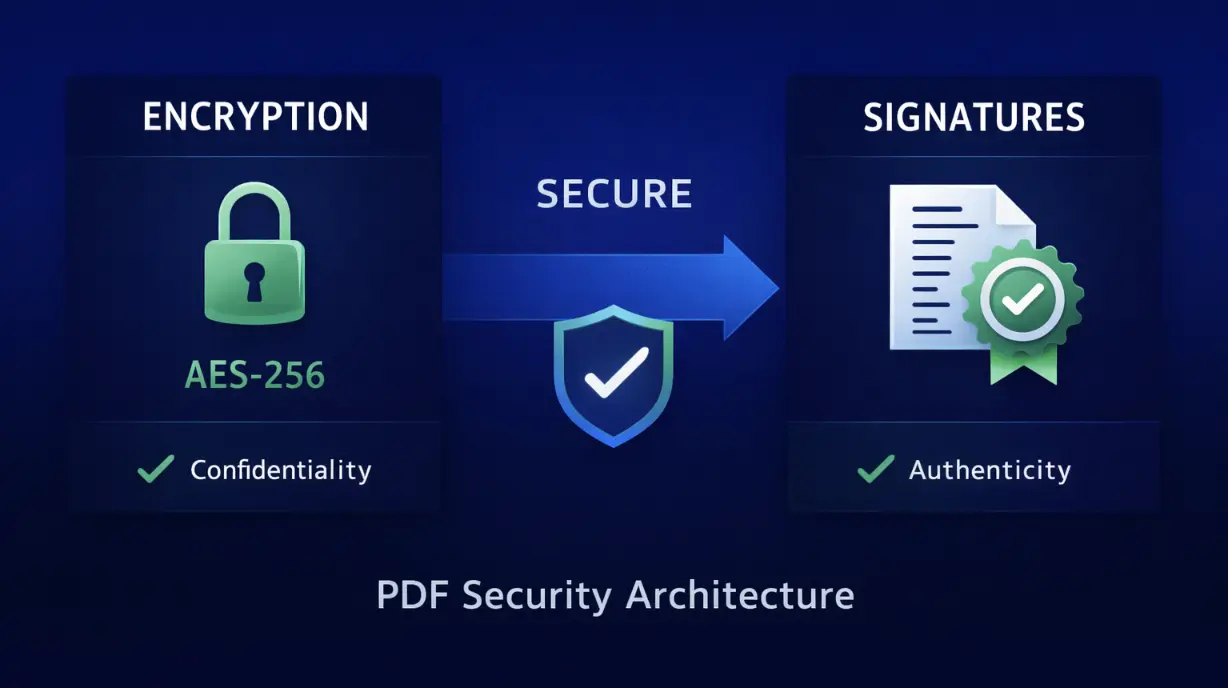
In today's digital landscape, PDF document security is not optional—it's essential. Whether protecting financial records, legal contracts, or personal health information, understanding PDF encryption and digital signatures is critical. This comprehensive guide explores the engineering behind PDF security, from AES-256 encryption algorithms to certificate-based digital signatures.
Unlike many security guides that oversimplify complex concepts, this technical breakdown reveals exactly how PDFs protect sensitive information at the cryptographic level, enabling you to make informed decisions about document security strategies.
Understanding PDF Encryption: The Fundamentals
PDF encryption operates on a simple but powerful principle: making document content unreadable without authentication. The PDF specification (ISO 32000) defines encryption through standard cryptographic algorithms, ensuring compatibility across all compliant PDF readers.
The Two-Layer PDF Security Model
PDFs implement a dual-password system that works independently:
Layer 1: USER PASSWORD (Document Opener)
├─ Prevents: Opening the PDF without authentication
├─ Strength: Protects against casual access
├─ Implementation: RC4 or AES encryption
└─ Result: "Password Required" dialog on open
Layer 2: OWNER PASSWORD (Permissions Controller)
├─ Prevents: Editing, printing, copying (if set)
├─ Strength: Depends on encryption algorithm
├─ Implementation: Permission flags + encryption key
└─ Result: Restricted editing capabilities
INTERACTION:
IF user_password_set:
Document cannot open without it
(owner_password is irrelevant)
ELSE IF only_owner_password:
Document opens freely
Restrictions applied to editing/printing
This architecture is critical: if both passwords are set, the user password takes precedence. The document cannot be opened at all without satisfying it first.
Encryption Standards: RC4 vs AES
| Property | RC4 Encryption | AES-128 | AES-256 |
|---|---|---|---|
| Algorithm | Stream cipher | Block cipher (Rijndael) | Block cipher (Rijndael) |
| Key Size | 40-128 bits | 128 bits | 256 bits |
| Security | ⚠️ Deprecated (weak) | ✅ Good | ✅✅ Excellent |
| Brute Force | Minutes (for 40-bit) | Practically Impossible | Impossible |
| Compatibility | Ancient readers | Modern readers | Modern readers |
Digital Signatures: Authenticity & Integrity
While encryption protects confidentiality, digital signatures verify authenticity and integrity. A digitally signed PDF cryptographically proves:
- Signer Identity: The document was signed by a specific person/entity
- Document Integrity: The document has not been modified since signing
- Non-repudiation: The signer cannot deny signing the document
- Timestamp Proof: The signature occurred at a specific time (if timestamped)
How Digital Signatures Work
1. DOCUMENT HASHING
└─ Hash algorithm (SHA-256) creates document fingerprint
└─ Any change = completely different hash
2. SIGNATURE CREATION
├─ Signer's private key encrypts the hash
├─ This encrypted hash = the signature
└─ Only the signer has the private key
3. SIGNATURE STORAGE
├─ Signature stored in PDF metadata
├─ Signer's certificate attached
└─ Timestamp may be included
4. VERIFICATION PROCESS
├─ Signer's public key decrypts signature
├─ Create hash of current document
├─ Compare hashes
└─ Result: Valid/Invalid/Modified
1. The certificate used to sign is trusted by your system
2. The document hasn't been modified since signing
3. The certificate was valid at the time of signing
Common Security Vulnerabilities & Prevention
1. Weak Passwords
Even AES-256 encryption is useless with weak passwords. A 4-character password can be brute-forced in seconds. Always enforce minimum 12-16 character passwords with a mix of uppercase, lowercase, numbers, and symbols.
2. Unencrypted Transmission
Encrypted PDFs offer no protection if transmitted unencrypted over email or unprotected networks. Always use HTTPS/TLS for file transfer and consider zipping sensitive PDFs before emailing.
3. Expired or Revoked Certificates
A digitally signed PDF with an expired certificate shows as "invalid" even if the signature is technically correct. To maintain legal validity long-term, PDFs should be timestamped (proof of signing time) and signatures renewed periodically using Long-Term Validation (LTV).
4. Owner Password Removal (PDF 1.3-1.4)
Older PDF versions allowed owner password removal by replacing it with a 32-character null password. This vulnerability was fixed in PDF 1.5. Always use PDF 1.5+ when applying security restrictions.
Optimize & Manage Your Secure PDFs
Need to prepare your documents before applying security? Use our free tools to merge, compress, or watermark your files with zero privacy risks.
Watermark PDF Tool →Frequently Asked Questions
AES-256 (Advanced Encryption Standard with 256-bit key) is the strongest PDF encryption standard currently available. It would take an estimated 1.4×10^76 years to brute-force with current computing power. For comparison, the universe is only 1.38×10^10 years old.
For user passwords (document opener): No, not without brute-force cracking tools which can take years for strong passwords. For owner passwords (editing restrictions): Technically possible with removal tools, but if you forgot your own opening password and don't have a backup, the document is effectively inaccessible.
Most modern PDF readers (like Adobe Acrobat) show signature status visually with a green checkmark or a red warning icon. Valid signatures meet all criteria: the certificate is trusted, the document is unchanged since signing, and the certificate hasn't been revoked.
It depends on the restrictions set by the author. If only an "owner password" is set to restrict editing, you can view the PDF but cannot modify or print it. If you need to edit, you must enter the correct owner password to unlock those specific permissions.
Related Resources & Tools
About This Article: This technical guide was written by the PDFteq Security Team and reflects industry-standard PDF security practices based on the ISO 32000-2 PDF 2.0 specification.